Table of Contents
The landscape of piano education has transformed dramatically by 2026, with digital instruments and intelligent lesson apps creating unprecedented opportunities for self-directed learners. Gone are the days when teaching yourself meant wrestling with outdated method books and wondering if your technique was fundamentally wrong. Today’s digital pianos don’t just produce sound—they serve as interactive coaches, offering real-time feedback, structured curriculum paths, and gamified experiences that keep you engaged through the inevitable plateaus of skill development.
But here’s the challenge: not every digital piano with an app delivers a genuine learning experience. Some merely slap a Bluetooth connection onto a mediocre keyboard and call it “smart.” As educators and technicians who’ve tested dozens of systems, we understand the critical differences between marketing fluff and features that actually accelerate your progress. This guide cuts through the noise to help you identify the essential elements that separate a true learning instrument from a toy with delusions of grandeur.
Top 10 Piano Lesson App
Detailed Product Reviews
1. Simply Piano: Learn Piano Fast

Overview: Simply Piano transforms your device into a personal piano instructor, delivering interactive lessons that adapt to your skill level. This app-based solution combines modern technology with pedagogical expertise, offering a structured curriculum that takes absolute beginners through reading sheet music to playing complex pieces with both hands. The platform’s immediate feedback mechanism corrects mistakes in real-time, accelerating the learning curve significantly compared to traditional methods.
What Makes It Stand Out: The real-time acoustic recognition technology sets Simply Piano apart, listening to your playing through your device’s microphone and providing instant feedback on timing and accuracy. Its library spans classical masterpieces by Bach to contemporary hits like “Dance Monkey,” ensuring learners stay engaged with familiar tunes. Courses designed by professional musicians and educators provide credibility, while the gamified progression system maintains motivation across all age groups.
Value for Money: While requiring a subscription (typically $150 annually), Simply Piano costs a fraction of traditional weekly lessons. The unlimited access to hundreds of lessons and songs, combined with constant updates, delivers substantial ongoing value. Compared to private instruction at $40-60 per hour, the app pays for itself within three sessions, making it an economical choice for committed beginners.
Strengths and Weaknesses: Strengths include professional curriculum design, immediate feedback, diverse song library, and age-agnostic interface. Weaknesses involve the recurring subscription cost, requirement for a piano/keyboard and compatible device, and limited depth for advanced players seeking nuanced technique development.
Bottom Line: Simply Piano excels as a comprehensive, technology-driven entry point for aspiring pianists. Its combination of expert instruction, engaging content, and immediate feedback makes it the top choice for beginners seeking flexible, affordable piano education.
2. Piano Adventures: Lesson Book - Level 2A, 2nd Edition | Beginner Piano Method | Learn Eighth Notes Chords and Sight Reading | Sheet Music Songbook for Early Learners | Faber Piano Book for Kids

Overview: The Piano Adventures Level 2A lesson book represents the gold standard in traditional piano pedagogy, continuing the beloved series from Faber and Faber. This physical method book systematically introduces eighth notes, major and minor chords, and enhanced sight-reading skills for early learners. Published by Alfred Music, it provides a tactile, screen-free learning experience that has trained generations of young musicians through its carefully sequenced approach.
What Makes It Stand Out: Unlike digital alternatives, this book requires no batteries, devices, or subscriptions—just a piano and focused practice. The Faber method’s signature “analysis” and “creativity” corners develop musical thinking beyond mere note-reading. Its kid-friendly illustrations and engaging compositions make technical concepts accessible, while the spiral curriculum ensures concepts reappear at increasing complexity, cementing long-term retention.
Value for Money: At approximately $8-10, this single purchase delivers months of structured lessons without recurring fees. The tangible asset can be resold, shared among siblings, or supplemented with other books in the series. For families limiting screen time or seeking proven methods, it offers exceptional value compared to app subscriptions, though it works best alongside a teacher’s guidance.
Strengths and Weaknesses: Strengths include trusted pedagogy, portability, no technology barriers, and focus on fundamental musicianship. Weaknesses involve lack of audio feedback, static content that cannot adapt to student pacing, and potential for practicing mistakes without instructor oversight. It also requires supplementary materials for complete musical development.
Bottom Line: This book remains essential for young learners thriving with traditional instruction. While it lacks digital interactivity, its pedagogical excellence and affordability make it indispensable for structured, teacher-guided piano education.
3. Piano with Songs to Learn

Overview: Piano with Songs to Learn offers a minimalist digital approach to piano education, centering exclusively on song acquisition rather than comprehensive theory. This bare-bones application prioritizes immediate musical gratification, allowing users to learn various pieces through direct imitation. The developer’s emphasis on “real piano sounds” suggests a focus on audio authenticity, though the platform’s overall scope appears remarkably limited based on its sparse description.
What Makes It Stand Out: The application’s singular focus on song learning may appeal to casual learners seeking quick results without theoretical baggage. Authentic acoustic piano samples differentiate it from synthetic-sounding competitors, potentially providing a more inspiring practice experience. Its straightforward, no-frills interface likely reduces learning curve friction for technophobic users or young children overwhelmed by feature-rich alternatives.
Value for Money: While pricing isn’t specified, such limited-feature apps typically follow a free-with-ads or one-time purchase model under $5. This represents minimal financial risk for curious beginners, though the absence of structured pedagogy means learners receive questionable long-term value. Compared to comprehensive apps or method books, its value proposition hinges entirely on user goals—casual hobbyists may find it sufficient, while serious students will quickly outgrow its constraints.
Strengths and Weaknesses: Strengths include authentic piano samples, simplicity, and low cost. Weaknesses involve undefined curriculum quality, lack of feedback mechanisms, minimal feature set, and absence of skill progression pathways. The vague description raises concerns about content depth and update frequency.
Bottom Line: This app suits absolute beginners seeking casual entertainment over genuine skill development. Its limited scope and unclear pedagogy make it difficult to recommend for anyone pursuing structured musical growth, though it may serve as a harmless, low-cost introduction.
4. Free Piano - Learn to Play Piano

Overview: Free Piano delivers exactly what its name promises—a cost-free entry point into piano education through a mobile application. This no-frills tool provides a “follow-me-play” guide system for over 80 melodies, emphasizing immediate playability over comprehensive theory. Designed for accessibility, it offers multitouch capabilities for chord practice and claims responsive key action, suggesting a focus on basic technical development without financial barriers.
What Makes It Stand Out: The zero-price tag immediately removes accessibility obstacles, making it ideal for budget-conscious learners or children exploring musical interest. Its “follow-me-play” guidance provides visual cues for immediate note-by-note imitation, while multitouch functionality enables basic chord exploration uncommon in free apps. The fast key response addresses a common frustration in touchscreen piano simulations, potentially offering a more satisfying tactile experience.
Value for Money: With absolutely no cost, the value proposition is mathematically infinite—any educational benefit exceeds the investment. However, “free” often means ad-supported or feature-limited design. While it costs nothing to try, learners must weigh time investment against potential bad habits formed without corrective feedback. Compared to paid alternatives, it serves as a risk-free trial but lacks depth for sustained progress.
Strengths and Weaknesses: Strengths include zero cost, multitouch chords, decent sound quality, and immediate song access. Weaknesses involve likely ad interruptions, absence of pedagogical structure, no feedback on mistakes, limited song library, and potential for encouraging poor technique through unsupervised practice.
Bottom Line: This app functions admirably as a zero-commitment musical toy or preliminary trial. While unsuitable for serious study, its free access makes it a worthwhile download for absolute beginners to test their interest before investing in premium solutions.
5. Piano Lessons for Beginners

Overview: Piano Lessons for Beginners positions itself as a comprehensive resource hub rather than a simple teaching app, aggregating tutorials, videos, and community features into one platform. Beyond basic instruction, it integrates a chatroom for peer support, note-taking functionality, and even an online piano shop, creating an ecosystem around the learning journey. The promise of upcoming testimonial sharing suggests a community-driven approach to motivation and engagement.
What Makes It Stand Out: The integrated chatroom fosters peer-to-peer learning rarely found in self-study apps, combating isolation that often leads to dropout. Direct e-commerce integration for purchasing instruments and accessories streamlines the transition from digital practice to physical instrument ownership. The platform’s emphasis on user-generated content and testimonials indicates a focus on building a supportive learning community rather than purely algorithmic instruction.
Value for Money: Pricing remains unspecified, but the feature set suggests a freemium or subscription model. If free, its value is exceptional; if subscription-based, worth depends on content quality and community activity. The consolidated resource approach potentially saves money compared to separate app, forum, and shopping site usage, though the “upcoming” features indicate incomplete development.
Strengths and Weaknesses: Strengths include community features, resource aggregation, shopping integration, and multi-format content. Weaknesses involve unclear pricing, potentially overwhelming feature bloat, unproven content quality, and reliance on community participation that may not materialize. The “upcoming” testimonial feature suggests the platform isn’t fully realized.
Bottom Line: This platform suits socially-motivated beginners who value community interaction alongside instruction. However, its ambiguous pricing and unfinished features make it a cautious recommendation—monitor user reviews and confirm costs before committing significant time or money.
6. Piano Lessons - learn to play piano

Overview: Piano Lessons - learn to play piano positions itself as a straightforward digital introduction to keyboard fundamentals. This instructional tool breaks down essential elements like note recognition, hand positioning, and basic song execution into digestible steps. Designed for absolute beginners seeking a no-frills approach, it promises to guide users through their first melodies without overwhelming technical jargon.
What Makes It Stand Out: The app’s emphasis on bilateral hand coordination from the outset distinguishes it from many entry-level programs that delay this complexity. Its step-by-step tutorial structure provides clear progression markers, while the “favorite songs and jingles” feature attempts to maintain motivation through familiar repertoire. The left/right hand setup functionality offers practical, hands-on learning that mirrors traditional piano pedagogy.
Value for Money: At its typical price point (often free or under $5), this represents minimal financial risk for curious learners. Compared to subscription-based platforms or private lessons, it’s an accessible trial balloon. However, the market offers numerous free alternatives with superior production value, making its worth contingent on its specific teaching methodology resonating with your learning style.
Strengths and Weaknesses: Strengths include its straightforward curriculum, low cost barrier, and immediate focus on playing recognizable tunes. Weaknesses involve potentially dated interface design, limited advanced content, lack of interactive feedback, and minimal genre diversity. The generic title suggests possible discoverability issues in crowded app stores.
Bottom Line: This product suits tentative beginners testing their interest in piano before committing to premium resources. While not a comprehensive solution, it provides a functional, if basic, foundation for those prioritizing simplicity over sophistication.
7. Little Piano (Free)
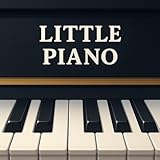
Overview: Little Piano transforms your Kindle Fire into a portable keyboard entertainment center. This free application prioritizes accessibility and immediate gratification, allowing users to tap out melodies on a virtual piano interface. With its Follow Me guide and percussion library, it targets casual musicians, families, and children looking for spontaneous musical fun without technical barriers or financial commitment.
What Makes It Stand Out: Kindle Fire optimization sets it apart in an iOS/Android-dominated market, filling a niche for Amazon device users. The Follow Me guide provides interactive song learning, while the expanded instrument palette (beyond just piano) encourages creative exploration. Its offline entertainment value makes it ideal for travel or situations where keeping children engaged is paramount.
Value for Money: The free tier offers undeniable value—zero investment for functional entertainment. The ad-supported model is the trade-off, though upgrade options exist for those seeking uninterrupted play. Compared to paid apps, it’s a competent gateway, but persistent advertisements may diminish the experience, pushing serious users toward inexpensive premium alternatives.
Strengths and Weaknesses: Strengths include device-specific optimization, family-friendly design, multi-instrument variety, and cost-free entry. Weaknesses comprise intrusive ads in the free version, limited pedagogical depth, basic sound quality, and lack of advanced features like MIDI support or progress tracking. The Kindle platform itself restricts touch sensitivity and screen real estate.
Bottom Line: Perfect for Kindle Fire owners seeking casual amusement or introducing young children to musical concepts. Don’t expect professional development, but as a free, portable distraction that sparks musical curiosity, it delivers exactly what it promises.
8. Piano Adventures: Lesson Book - Level 1, 2nd Edition | Beginner Piano Method Book | Sheet Music Songbook with Chords and Grand Staff Reading | Faber Piano Method Book for Kids and Adults

Overview: The Faber Piano Adventures Level 1 represents gold-standard print pedagogy for systematic keyboard development. This method book builds reading skills through intervallic note recognition, chord approach, and diverse musical styles. Suitable for both child and adult beginners, it integrates theory, technique, and artistry into a cohesive curriculum that professional educators have trusted for decades.
What Makes It Stand Out: The 2nd Edition’s refined pacing and enriched repertoire distinguish it from competitors. Its “reading by interval” methodology accelerates sight-reading fluency compared to traditional note-by-note approaches. The inclusion of teacher duets, improvisation prompts, and varied genres (classical, folk, blues) maintains engagement while developing comprehensive musicianship beyond mere note reproduction.
Value for Money: At approximately $8-10, this book delivers exceptional value—equivalent to one-third of a single private lesson. Its durability and reusable nature make it a one-time investment for multiple students. Compared to digital subscriptions costing $120+ annually, it’s remarkably economical. The pedagogical depth rivals methods costing twice as much.
Strengths and Weaknesses: Strengths include proven pedagogical sequence, engaging repertoire, balanced skill development, and universal applicability. Weaknesses involve requiring a teacher for optimal implementation, lacking audio examples (without separate purchase), and being less portable than apps. Self-learners may find the progression challenging without guidance.
Bottom Line: An essential purchase for serious beginners working with instructors. Its pedagogical excellence justifies every penny, though independent learners should supplement with online resources. The benchmark against which other methods are measured.
9. Piano lessons for kids

Overview: This app targets preschool and early elementary children through color-coded, tap-to-play interaction. By simplifying piano to a visual matching game, it removes traditional barriers like staff reading and finger numbering. The approach centers on instant aural gratification, allowing young users to “play” famous children’s songs by following on-screen color prompts, theoretically building musical association through repetition.
What Makes It Stand Out: The extreme simplification for toddler-age users is its defining characteristic. Unlike more sophisticated apps, it eliminates complexity entirely, focusing purely on cause-and-effect musical exploration. The xylophone/pianophone alternative interface acknowledges developmental limitations, and the parent-child activity positioning recognizes that young children require supervised, shared screen time for effective learning.
Value for Money: Typically free or $1-3, the cost is negligible for an entertainment-education hybrid. However, similar functionality exists in numerous free apps, diminishing its unique value proposition. As a temporary amusement that might spark interest, it’s justifiable, but developmental impact per dollar lags behind more structured early childhood music programs.
Strengths and Weaknesses: Strengths include toddler-appropriate design, immediate success experiences, parent engagement potential, and zero-complexity interface. Weaknesses comprise severe pedagogical limitations, no actual note reading, passive learning approach, and extremely short-term usefulness before children outgrow it. The generic naming suggests limited ongoing development or support.
Bottom Line: Serves as a brief musical introduction for children under five, but should not be confused with genuine piano instruction. Treat it as a toy with educational pretensions rather than a learning tool. Effective for 10-15 minute sessions, but rapidly loses educational value.
10. Piano Academy by Yokee Music

Overview: Piano Academy merges video instruction with real-time acoustic feedback, creating a structured digital learning environment. The app assigns a virtual instructor who presents theory concepts before users practice actual sheet music on any piano or keyboard. Yokee’s technology listens via device microphone, providing note-by-note assessment, while integrated games develop ancillary skills like rhythm and ear training.
What Makes It Stand Out: The instant acoustic feedback system represents significant technical achievement, bridging the gap between digital instruction and acoustic instrument practice. Unlike apps limited to on-screen keyboards, Piano Academy works with your real piano. The combination of video lessons, sheet music library, and skill-building games creates a comprehensive ecosystem that adapts to individual progress while maintaining engagement through gamification.
Value for Money: The freemium model offers substantial free content, with premium subscriptions competitive with rivals like Simply Piano ($120/year). The ability to use your own instrument adds value over apps requiring proprietary hardware. While not inexpensive, it costs a fraction of private lessons, making it a viable middle-ground for committed self-learners.
Strengths and Weaknesses: Strengths include real instrument integration, immediate feedback, structured curriculum, and multi-skill development. Weaknesses involve microphone sensitivity issues in noisy environments, limited advanced repertoire, subscription cost over time, and inability to replace personalized teacher corrections for technique flaws.
Bottom Line: Excellent for dedicated beginners with access to a piano who want structured guidance without instructor costs. The feedback technology is genuinely useful, though serious students will eventually need human oversight. A top-tier digital solution that fulfills its promises.
The Evolution of Digital Piano Learning in 2026
The fusion of hardware and software has reached a tipping point where the line between instrument and instructor blurs productively. Modern lesson apps now incorporate AI-driven analysis of your timing dynamics, hand positioning through device cameras, and even predictive modeling that anticipates where you’ll struggle before you hit a wall. This isn’t about replacing human teachers—it’s about creating a feedback-rich environment for those solitary practice hours between lessons or for pure self-study journeys.
Why Integrated Lesson Apps Are Revolutionizing Self-Teaching
Traditional self-teaching methods suffer from one fatal flaw: delayed feedback. You might play a passage twenty times incorrectly before noticing the mistake yourself. Integrated lesson apps in 2026 provide instant correction on rhythm accuracy, note velocity consistency, and pedaling technique. More importantly, they adapt to your learning velocity, automatically generating supplemental exercises when you stumble and accelerating you through material you’ve mastered. This personalization was once the exclusive domain of elite private instruction; now it’s embedded in instruments accessible to hobbyists.
Key Features That Define a Great Learning Piano
Weighted Key Action: The Foundation of Proper Technique
If you take nothing else from this guide, understand this: unweighted keys will sabotage your progress. The entire architecture of piano technique—finger strength, dynamic control, expressive playing—depends on the hammer mechanism that weighted action simulates. For self-teachers, this becomes even more critical because you’re building muscle memory without a teacher physically adjusting your hand position. Look for graded hammer action where the lower keys feel heavier than the higher ones, mimicking an acoustic piano’s string thickness variation. Escapement simulation adds that subtle “click” feel at the bottom of key travel, crucial for developing advanced control.
Sound Engine Realism: More Than Just Notes
A rich, complex sound engine does more than please your ears—it teaches your fingers. When you can hear subtle tonal changes based on touch velocity, you naturally adjust your technique to explore that dynamic range. In 2026, the best learning pianos use multi-layered sampling or physical modeling that captures string resonance, damper noise, and even the mechanical sounds of key release. These details aren’t audiophile vanity; they’re sonic feedback loops that train your touch sensitivity far better than a sterile, one-dimensional tone ever could.
Polyphony Count: Why 128 Isn’t Enough for Serious Learners
Here’s a hard truth that manufacturers won’t emphasize: 128-note polyphony, once the gold standard, now represents the bare minimum for intermediate players using lesson apps. When you’re playing along with app-generated accompaniments, using damper pedal, and layering split sounds, you can easily exceed 128 simultaneous voices. Modern learning pieces increasingly incorporate orchestral backing tracks within apps, and nothing kills your momentum like notes dropping out mid-phrase. Aim for 192-note polyphony minimum; 256 if you plan to explore complex classical repertoire or jazz voicings.
Connectivity Options: USB, Bluetooth MIDI, and Audio
Wired connections still deliver the most stable performance, but 2026’s lesson ecosystems demand wireless flexibility. Bluetooth MIDI with ultra-low latency (under 3ms) is now non-negotiable for responsive app interaction. More importantly, look for Bluetooth audio input capability, allowing app sounds to play through the piano’s speakers rather than your tinny phone speaker. This creates an immersive learning environment where your playing blends seamlessly with backing tracks. USB-C ports should support both MIDI and audio interface functions, letting you record directly to devices without additional hardware.
Understanding Lesson App Ecosystems
App-Driven Curriculum vs. Traditional Methods
The most sophisticated lesson apps in 2026 don’t just digitize old method books—they restructure pedagogy entirely. They use spiraling curriculum design, introducing concepts in micro-doses that revisit and compound over time. This approach prevents the cognitive overload that sinks many self-taught players. When evaluating an instrument’s app, check whether it offers structured paths (classical, pop, jazz) or just a random collection of songs. The best systems provide video demonstrations from multiple camera angles, slow-motion playback, and the ability to isolate hands—a feature that’s worth its weight in gold during those frustrating first months.
Gamification Elements That Actually Work
Not all gamification helps. Point badges for logging practice time mean nothing if you’re practicing poorly. Effective learning gamification focuses on mastery, not participation. Look for apps that reward accuracy improvements, dynamic consistency, and rhythmic precision rather than mere attendance. Features like “streak freezes” for missed days reduce guilt without breaking habit formation, and adaptive challenges that unlock based on skill demonstrations keep you in the productive struggle zone. Avoid apps that turn practice into pure entertainment; the goal is motivated work, not distraction disguised as education.
Progress Tracking and AI Feedback Systems
Modern AI doesn’t just tell you what you played wrong—it tells you why. Advanced systems analyze patterns across hundreds of practice sessions to identify if your timing issues stem from finger strength deficits, reading challenges, or rhythmic comprehension gaps. They generate personalized drills targeting your specific weaknesses. Crucially, the best feedback systems explain concepts in multiple ways: visual waveform analysis, numerical scores, and metaphorical language. This multi-modal explanation mirrors how great human teachers adapt their communication style to individual students.
Subscription Models vs. One-Time Purchases
The economics of piano learning apps have matured. While some instruments include lifetime app access, most premium platforms use subscription models. Here’s how to evaluate the true cost: calculate the monthly fee over three years against the instrument’s price. A $15/month subscription adds $540 to your investment. However, these subscriptions often include continuously updated content, new song libraries, and improving AI models—value that static, one-time purchases can’t match. For committed learners, subscriptions represent ongoing value; for dabblers, they become expensive clutter.
Essential Hardware Considerations for Self-Teachers
Stand and Pedal Solutions for Proper Posture
Your piano is only as good as its setup. A wobbly X-stand or sliding bench will undermine your technique and potentially cause injury. Look for furniture-style stands with three pedals that bolt securely—this stability is non-negotiable for proper pedaling technique. The sustain pedal should support half-pedaling, a nuanced skill that apps can now detect and teach. Adjustable benches with storage for tablets and sheet music keep your practice space organized, reducing friction that might derail daily sessions.
Headphone Options for Silent Practice
Silent practice isn’t just for apartment dwellers—it’s a concentration superpower. The best digital pianos for self-teaching offer multiple headphone jacks (both 1/4" and 1/8") with independent volume control. This lets a teacher or practice partner listen in, but more importantly for solo learners, it enables binaural sampling technology that creates a three-dimensional soundstage in your ears. This spatial audio makes it easier to hear your voice leading and balance between hands, accelerating musical development far beyond what external speakers provide.
Recording and Playback Capabilities
Self-assessment separates advancing players from stuck ones. Modern pianos should offer one-touch recording to internal memory and USB drives. But the real magic happens when recordings automatically sync to your lesson app for AI analysis. Look for systems that create practice loops of your trouble spots and let you compare your recordings side-by-side with professional performances. Some advanced models even overlay your performance data onto the score, showing exactly where your dynamics or timing deviated—a level of insight that transforms how you approach difficult passages.
Built-in Metronome and Rhythm Features
The metronome is your most brutally honest teacher. Digital pianos in 2026 offer far more than click tracks—programmable rhythm patterns, drum grooves in multiple styles, and even AI drummers that respond to your playing dynamics. For self-teachers, these features develop internal timing far better than a sterile tick-tock. The ability to gradually increase tempo by single BPM increments, or use “tempo ramping” that automatically speeds up as you repeat passages correctly, builds speed organically without sacrificing accuracy.
Budgeting for Your Learning Journey
Entry-Level Investment: What $500-$800 Gets You
In this range, you’ll find instruments that genuinely teach rather than frustrate. Expect fully weighted keys (though perhaps with simpler action mechanisms), 192-note polyphony, and basic Bluetooth connectivity. The included lesson apps will likely have limited AI features but solid core curriculum. Sound quality will be good but not breathtaking. These instruments work perfectly for dedicated beginners who’ll upgrade after 2-3 years of progress. The key is ensuring the action isn’t so compromised that you’re relearning technique later.
Mid-Range Sweet Spot: $900-$1,500 Features
This is where serious learning tools emerge. You’ll find triple-sensor key detection for faster note repetition, wooden key components for authentic feel, and sophisticated sound engines with string resonance modeling. Lesson apps at this tier include extensive libraries, advanced AI feedback, and often integrate with third-party software like flowkey or Skoove. Polyphony jumps to 256 notes, and connectivity includes audio interface capabilities. For self-teachers committed to intermediate repertoire, this range offers the best long-term value without professional-level overkill.
Premium Learning Instruments: $1,600+
Professional-grade digital pianos now double as exceptional learning platforms. Beyond superior action and sound, these instruments feature high-resolution touchscreens built into the music rest, running lesson apps natively without external devices. They offer cloud storage for unlimited recordings, multi-track sequencing for composition practice, and acoustic simulator controls that let you virtually “place” your piano in different room environments. For advanced self-taught players or those who never want to upgrade, these instruments provide a lifetime tool that reveals new capabilities as your skills grow.
Acoustic vs. Digital for Self-Learning
Space and Maintenance Considerations
Acoustic pianos demand climate-controlled environments and regular tuning—barriers that derail many self-teaching attempts before they begin. Digital instruments eliminate these variables, letting you focus purely on playing. However, don’t underestimate the psychological impact of your instrument’s presence. A digital piano that lives in a closet gets played less than one that occupies a dedicated, inviting space. Choose a model whose stand and footprint command respect in your home, creating a practice sanctuary rather than a storable gadget.
Volume Control and Practice Flexibility
The ability to practice at 11 PM without alienating family or neighbors isn’t just convenient—it’s transformative for habit formation. Self-teaching requires consistent daily practice, and acoustic pianos inherently limit when that can happen. Digital instruments with volume sliders and headphone outputs remove this friction entirely. Moreover, the psychological safety of silent practice encourages experimentation. You’re more likely to tackle difficult passages repeatedly when you know nobody’s listening to your awkward first attempts, accelerating skill acquisition through reduced performance anxiety.
The Role of MIDI and App Integration
iOS vs. Android Compatibility in 2026
The platform wars have settled into uneasy truce: iOS still dominates music creation due to lower audio latency and superior app optimization, but Android has closed the gap significantly. Modern digital pianos should support both flawlessly, but dig deeper. Check if the app offers identical features on both platforms—some still treat Android as an afterthought. For iPad users, verify that the piano supports the latest Bluetooth MIDI standards and doesn’t require finicky adapter cables. Android users should confirm USB-C audio interface compatibility, as some manufacturers still prioritize Lightning connections.
Cloud Syncing Across Devices
Your practice data is valuable. The best lesson app ecosystems sync your progress, recordings, and custom lesson plans across phone, tablet, and computer automatically. This means you can review your performance stats during a lunch break at work and return home with targeted practice goals. Look for services that export data in standard formats (MIDI, PDF, MP3) so you’re not locked into a proprietary ecosystem if you switch instruments later. True data portability separates serious educational platforms from hardware-tied gimmicks.
Advanced Features Worth Paying For
Split and Layer Functions for Creative Learning
Splitting the keyboard lets you practice bass lines with your left hand while the app handles chords, or vice versa. Layering strings or pads under your piano sound teaches voice leading and harmonic context. These functions transform practice from mechanical repetition into creative exploration. For self-teachers, this is crucial—without a teacher assigning varied exercises, you need tools that naturally inspire diverse practice. The best implementations let you adjust split points and layer volumes independently, and save these setups as registrations you can recall instantly.
Transpose and Tuning Controls
Learning pieces in their original keys isn’t always practical when you’re developing hand span and strength. Transpose functions let you practice challenging repertoire in comfortable keys, then gradually transpose back as your technique improves. Fine-tuning controls (in 0.1Hz increments) allow you to play along with slightly out-of-pitch recordings or tune to historical temperaments for Baroque music. These aren’t shortcuts—they’re scaffolding that lets you tackle material slightly beyond your current capability, accelerating growth through strategic challenge adjustment.
Onboard Recording and Song Libraries
Internal song libraries should include not just repertoire but also etudes and exercises specifically designed for the instrument’s action. The best systems record your practice sessions automatically in the background, letting you retroactively save breakthrough moments or analyze what went wrong during a frustrating session. Look for pianos that tag recordings with metadata like tempo, date, and which app lesson you were practicing. This creates a searchable practice journal that reveals patterns in your learning you might never notice otherwise.
Common Self-Teaching Pitfalls to Avoid
The Importance of Supplemental Human Feedback
Even the most advanced AI can’t replace a human’s ability to spot tension in your shoulders or inefficient fingerings. Plan for periodic check-ins with a live teacher—monthly or quarterly—to catch bad habits before they fossilize. Many lesson apps now include video submission features where human instructors review your playing asynchronously. This hybrid approach gives you the flexibility of self-teaching with the safety net of expert oversight. Budget for these sessions; they’re insurance against months of practicing mistakes.
Over-Reliance on Gamification
When everything becomes a game, depth often suffers. If you find yourself chasing high scores on easy songs instead of struggling through challenging material, the gamification has backfired. Set explicit goals beyond app metrics: “learn three pieces from memory,” “record a performance I’m proud to share,” or “play with expression that moves someone emotionally.” Use the app’s rewards as fuel, not as the destination. The ultimate game is making music, not accumulating virtual trophies.
Setting Realistic Milestones
Lesson apps can create unrealistic progress expectations. Their marketing shows virtuosos who started six months ago, but your journey is your own. Use the app’s data to set personalized milestones based on your improvement rate, not generic timelines. If you’re gaining 2% accuracy per week on a difficult piece, that’s sustainable progress. The app might suggest you should master it in three days, but you know your learning pattern. Trust the data about your performance, not the prescriptive timeline.
Making Your Final Decision
Prioritizing Your Learning Style
Visual learners need apps with strong notation displays and video integration. Kinesthetic learners benefit from instruments with superior action and tactile controls. Auditory learners should prioritize sound quality and headphone immersion. Be brutally honest about how you learn best, then choose the instrument whose app ecosystem aligns with that style. A piano with a “great” app that doesn’t match your cognitive processing will gather dust, while a moderately-featured instrument that clicks with your brain will see daily use.
Future-Proofing Your Investment
Technology evolves, but good action and sound remain timeless. Choose an instrument where the hardware could stand alone if the app ecosystem disappears. Ensure firmware updates come regularly and that the manufacturer has a track record of supporting instruments for at least five years. Avoid pianos that require proprietary cables or lock features behind app subscriptions—these are red flags that the hardware is just a delivery vehicle for software that might not exist in 2028. Your purchase should be a piano first, a smart device second.
Frequently Asked Questions
How long should I practice daily with a lesson app to see real progress?
Consistency trumps duration. Twenty focused minutes daily yields faster improvement than two hours once weekly. The app’s AI thrives on regular data, so even short sessions generate better personalized feedback than marathon practices. Aim for 30-45 minutes if possible, but never miss two consecutive days.
Can I really learn piano without a human teacher using just these apps?
You can reach an intermediate level (roughly Grade 4-5) with pure app-based learning, but periodic human feedback becomes increasingly valuable as complexity grows. Think of apps as your primary teacher and human instructors as specialist consultants for technique audits. Most successful self-taught players check in with a teacher quarterly.
Will my lesson app subscription work if I upgrade to a different piano brand?
Generally, no. Most lesson apps are tied to specific hardware ecosystems. However, some third-party apps like flowkey, Skoove, and Playground Sessions work across brands. Before committing, verify whether your progress and subscription transfer or if you’re locked into one manufacturer’s ecosystem.
What’s the minimum key count for serious learning—61, 76, or 88 keys?
88 keys is non-negotiable for classical repertoire and proper technique development. Many foundational exercises require the full range, and limiting yourself to 61 or 76 keys forces awkward transpositions that create bad habits. The price difference is negligible compared to the limitations imposed.
How do I know if a piano’s key action is good enough for my skill level?
Test it in person if possible. Play a simple scale very slowly, feeling for consistency in resistance across all keys. Try rapid repeated notes—if the action can’t keep up, you’ll hit a wall later. Read professional reviews that measure key travel distance and weight in grams. For self-teaching, err on the side of heavier, more realistic action; you can always build strength, but you can’t fix technique built on spongy keys.
Should I prioritize a better piano or a better lesson app?
The piano’s action and sound quality are foundational—you can’t fix bad hardware with good software. However, a mediocre piano with an exceptional app will keep you practicing, while a premium piano with a poor app may go unused. If forced to choose, spend 60% of your budget on hardware quality and 40% on ensuring the app ecosystem is robust and engaging.
How often do lesson apps update their content, and does it matter?
Top-tier apps update weekly with new songs, exercises, and AI improvements. This matters enormously for self-teachers who need fresh material to maintain motivation. Check the app’s version history in the app store—if updates are months apart, the ecosystem is stagnant. Active development indicates a thriving user community and ongoing pedagogical refinement.
Can lesson apps detect and correct my hand position and posture?
2026’s advanced apps use your device’s camera for basic posture analysis, flagging obvious issues like hunched shoulders or flat fingers. However, they can’t provide the tactile adjustments a human teacher offers. Use a mirror or record yourself from the side to self-assess posture, treating the app’s visual feedback as a supplement, not a replacement, for body awareness.
Is it worth buying a digital piano with a built-in screen for lessons?
Built-in screens eliminate device setup friction and often run lesson apps more smoothly than tablets. However, they add $300-500 to the price and may become obsolete faster than the piano itself. If you already own a recent iPad or Android tablet, a quality mount is more economical. If you want the absolute simplest, most integrated experience and budget allows, built-in screens are genuinely convenient.
How do I prevent the app from becoming a distraction rather than a tool?
Set specific practice goals before opening the app, and use focus modes that block non-essential notifications. Many apps now include “deep practice” settings that hide gamification elements during serious work sessions. Schedule free-play time separate from app-guided practice so you don’t associate the piano purely with structured lessons. The goal is using technology intentionally, not letting it dictate your entire musical experience.
See Also
- 10 Best Beginner Digital Pianos with Lesson Mode for Self-Teaching Adults
- 10 Expert-Recommended Digital Pianos with MIDI for Home Recording in 2026
- 10 Expert-Recommended Digital Pianos for College Music Majors in 2026
- 10 Beginner Digital Pianos with Lesson Apps for Kids in 2026
- 10 Game-Changing Digital Pianos with App Integration for Self-Teaching in 2026