Table of Contents
Stepping into the DJ booth for the first time in 2026 feels nothing like it did even five years ago. The barrier between “I’ve always wanted to try that” and “I’m actually doing it” has crumbled, thanks to a new generation of controller bundles that treat tutorial software not as an afterthought, but as the main event. These aren’t just boxes with a controller and a download link—they’re integrated learning ecosystems where hardware and software finish each other’s sentences.
If you’re reading this, you’re probably overwhelmed by specs, buzzwords, and the fear of buying something you’ll outgrow in six months. That’s exactly why we’re taking a different approach. Instead of rattling off model numbers, we’re diving deep into what makes a DJ controller bundle truly beginner-friendly in 2026, how tutorial software has evolved from passive videos to interactive coaching, and which features will actually accelerate your learning curve versus the ones that just look impressive in product photos.
Top 10 Dj Controller Bundles
Detailed Product Reviews
1. Pioneer DDJ-FLX4 2-Channel DJ Controller - Black Bundle with Case and Austin Bazaar Polishing Cloth

Overview: The Pioneer DDJ-FLX4 represents the gold standard for entry-level DJ controllers, bundled here with essential protection accessories. This 2-channel unit distills professional Pioneer DNA into an accessible package for aspiring DJs. The included hard case and polishing cloth from Austin Bazaar add immediate value, ensuring your investment stays pristine from bedroom to gig.
What Makes It Stand Out: The FLX4’s Smart Fader and Smart CFX technologies are genuine game-changers for beginners, automatically handling complex mixing tasks like BPM matching and effect layering. Unlike competitors, it seamlessly integrates with rekordbox, Serato DJ Lite, and djay without proprietary lock-in. The microphone mixing capability is rare in this price class, letting you MC or stream without additional hardware. The bundled case offers road-ready protection that most entry-level packages omit.
Value for Money: At this price point, you’re paying a modest premium for the Pioneer badge, but receiving proven reliability and ecosystem compatibility. Purchasing the controller, case, and cloth separately would cost 15-20% more. While not the cheapest entry-level option, the FLX4 avoids the “upgrade trap”—its features grow with you longer than budget alternatives.
Strengths and Weaknesses: Strengths include professional-grade software flexibility, intelligent automation features, robust build quality, and integrated microphone processing. Weaknesses are the “Lite” software limitations requiring eventual paid upgrades, smaller 5-inch jog wheels that feel cramped for scratch techniques, and limited performance pad customization compared to professional units.
Bottom Line: This bundle is ideal for serious beginners prioritizing brand reliability and long-term growth. The protective case makes it gig-ready from day one, justifying the slight premium over barebones controllers. If you value ecosystem investment over absolute lowest cost, this is your starting point.
2. Pioneer DDJ FLX4 DJ Controller - Black Bundle with Laptop Stand, Headphones, and Austin Bazaar Polishing Cloth

Overview: This alternative FLX4 bundle targets the complete beginner who needs more than just the controller. While identical to other FLX4 packages at its core, this configuration includes a laptop stand and headphones—two essentials that most newcomers overlook until their first mixing session. It’s a turnkey solution for immediate practice without additional purchases.
What Makes It Stand Out: The Smart Fader technology remains the headline feature, automatically managing BPM and bass transitions so novices can focus on song selection and crowd reading. This bundle’s genius lies in its practicality: the adjustable laptop stand positions your screen at ergonomic height, while the included headphones provide private monitoring without extra expense. The controller’s streaming service integration with TIDAL, Beatport, and SoundCloud Go+ gives instant access to millions of tracks.
Value for Money: The included accessories represent approximately $60-80 in value if purchased separately, making this bundle cost-effective for those starting from scratch. However, the headphones are basic entry-level models, and seasoned DJs will likely upgrade them quickly. You’re essentially getting convenience rather than premium gear, which is appropriate for the target audience.
Strengths and Weaknesses: Strengths include the all-in-one convenience, professional software compatibility, microphone integration for streaming, and compact portability. Weaknesses mirror the standalone FLX4: limited jog wheel size, restricted performance pad functionality, and the eventual need to upgrade from Lite software versions. The included accessories, while functional, won’t satisfy advancing users.
Bottom Line: Perfect for absolute beginners with zero existing gear. If you already own quality headphones or a laptop stand, opt for a simpler bundle. For those wanting to unbox and mix within minutes, this package eliminates guesswork and delivers everything needed for your first session.
3. Pioneer DJ AlphaTheta DDJ-FLX2 Compact 2-Channel DJ Controller

Overview: The DDJ-FLX2 strips down the Pioneer experience to its most portable form factor, targeting mobile DJs and smartphone-era beginners. This ultra-compact controller runs on USB power and fits in a backpack, making it the most travel-friendly option in Pioneer’s lineup. It’s designed for DJs who prioritize mobility over tactile feedback.
What Makes It Stand Out: True smartphone and tablet compatibility sets the FLX2 apart—connect directly to iOS or Android devices and mix tracks from streaming services like Apple Music via djay. The Smart CFX and Smart Fader features carry over from its bigger sibling, automating mixing fundamentals. Direct speaker output eliminates the need for a separate audio interface, simplifying mobile setups dramatically.
Value for Money: Positioned as the budget-conscious entry point, the FLX2 costs significantly less than the FLX4 while retaining core smart features. However, the reduction in jog wheel size, build quality, and input/output options reflects this price cut. It’s exceptional value for casual DJs or those testing the waters, but serious practitioners will outgrow it quickly.
Strengths and Weaknesses: Strengths include extreme portability, multi-device compatibility, USB-powered convenience, and essential smart mixing features. Weaknesses are the tiny jog wheels unsuitable for scratching, limited physical controls, no microphone input, and a plastic build that feels less durable. Software compatibility is broad but performance lags with complex effects.
Bottom Line: Ideal for hobbyists, mobile party starters, or DJs who primarily mix with streaming libraries on the go. Not recommended for aspiring professionals or scratch DJs. If your phone is your music library and you need pocket-sized mixing power, the FLX2 delivers remarkable capability despite its compromises.
4. Pioneer DJ AlphaTheta DDJ-FLX2 Compact 2-Channel DJ Controller Bundle with Case, Instrument Cable, and Austin Bazaar Polishing Cloth
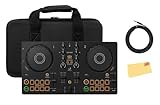
Overview: This bundle dresses up the entry-level DDJ-FLX2 with essential protection and connectivity accessories. While the controller itself remains Pioneer’s most portable offering, the addition of a custom case and instrument cable transforms it from a casual toy into a slightly more serious tool. The polishing cloth is a nice touch for maintaining the unit’s finish.
What Makes It Stand Out: The FLX2’s core appeal—smartphone compatibility and USB-powered portability—remains intact, but the included case addresses the controller’s primary vulnerability: its lightweight plastic construction. The instrument cable ensures reliable audio output to speakers without hunting for compatible cables. You still get the Smart Fader and CFX automation that make mixing accessible for absolute beginners.
Value for Money: The bundle adds roughly $30-40 in accessories value, making it sensible if you need a case anyway. However, the FLX2’s fundamental limitations—tiny jog wheels, limited I/O, and basic construction—remain unchanged. You’re investing in protection for a controller that many will outgrow within a year, which may be shortsighted unless mobility is your absolute priority.
Strengths and Weaknesses: Strengths include the protective case, multi-device compatibility, streaming service access, and plug-and-play simplicity. Weaknesses are the same as the standalone FLX2: cramped controls, no microphone support, plastic build quality, and performance constraints with demanding software. The case adds bulk, partially defeating the ultra-portable advantage.
Bottom Line: Choose this bundle only if you specifically need the FLX2’s mobile capabilities and want protection for transport. For home use, save money and buy the standalone unit. Aspiring DJs should invest in the FLX4 instead. This package serves a narrow niche: mobile hobbyists who value streaming integration above all else.
5. Numark Mixtrack Pro FX Serato DJ Controller with 2 Decks, Mixer, Effects Paddles and Audio Interface

Overview: Numark’s Mixtrack Pro FX challenges Pioneer’s dominance in the entry-level market by prioritizing tactile performance over brand prestige. This controller delivers full Serato DJ Lite integration with hardware features typically reserved for pricier units: large jog wheels, dedicated FX paddles, and extensive performance pads. It’s built for aspiring turntablists and performance DJs on a strict budget.
What Makes It Stand Out: The 6-inch capacitive jog wheels dwarf competitors in this price range, providing authentic scratching and beatmatching feel. Dual FX paddles offer instant effect triggers—a feature absent on FLX4/FLX2—while 16 performance pads unlock creative routines. The built-in audio interface with microphone input and RCA outputs provides professional connectivity without additional hardware.
Value for Money: The Mixtrack Pro FX delivers the most physical control per dollar in its class. You’re sacrificing Pioneer ecosystem integration for immediate performance capability. While build quality uses more plastic than premium units, the feature set rivals controllers costing twice as much. Serato DJ Lite is included, but upgrading to Pro requires additional investment.
Strengths and Weaknesses: Strengths include oversized jog wheels, comprehensive performance pads, FX paddles, solid audio interface, and streaming service integration. Weaknesses are the plastic construction, less intuitive software workflow than rekordbox, no smart automation features for beginners, and a steeper learning curve. The pitch faders feel imprecise for manual mixing.
Bottom Line: Perfect for performance-focused beginners who want to scratch and use effects from day one. If you prioritize hands-on control over automated assistance and don’t mind skipping the Pioneer ecosystem, this offers unmatched tactile features. However, pure beginners may find the FLX4’s Smart features more encouraging for early progress.
6. Hercules DJControl Inpulse 200 MK2 — Ideal DJ Controller for Learning to Mix — Software and Tutorials Included, Black

Overview: The Hercules DJControl Inpulse 200 MK2 targets aspiring DJs with a feature-rich entry-level package. This compact controller combines guided learning tools with creative capabilities, making it ideal for bedroom producers and party starters. The included software and tutorials provide a complete ecosystem for skill development without requiring additional purchases.
What Makes It Stand Out: The Beatmatch Guide sets this controller apart, using light cues to teach tempo matching and beat alignment visually. The STEMS feature lets you isolate vocals, drums, and instruments for innovative mashups. Integration with major streaming services (Beatport, TIDAL, SoundCloud) means instant access to millions of tracks without upfront music purchases. The DJ Academy video tutorials from professional DJs accelerate the learning curve significantly, providing structured education.
Value for Money: At its price point, the Inpulse 200 MK2 delivers exceptional value. Competing controllers often lack the integrated learning system and streaming capabilities. The inclusion of both Serato DJ Lite and DJUCED software, plus DJ Academy access, saves beginners over $100 in additional costs. While build quality reflects the price, the feature set rivals more expensive units and grows with your skills.
Strengths and Weaknesses: Strengths include intuitive learning tools, comprehensive software bundle, streaming integration, and compact portability. Weaknesses involve plastic construction that may not withstand heavy gigging, limited outputs for professional setups, and the need to upgrade to Serato DJ Pro for advanced features. The small jog wheels require adjustment for scratch techniques and feel less responsive than professional units.
Bottom Line: Perfect for beginners who want structure and modern features. The Inpulse 200 MK2 transforms the daunting learning process into an engaging, guided experience. If you’re serious about DJing but unsure where to start, this controller offers the best educational value in its class.
7. Hercules DJControl Mix DJ Software Controller with Algoriddim Djay App Bundle with Hercules HDP DJ45 Closed-Back, Over-Ear DJ Headphones
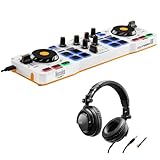
Overview: The Hercules DJControl Mix brings essential DJing capabilities to your smartphone or tablet. This ultra-portable controller transforms mobile devices into a functional mixing setup, complete with jog wheels, faders, and performance pads. Bundled with HDP DJ45 headphones, it’s a self-contained mobile solution for practice and small gigs anywhere.
What Makes It Stand Out: True mobile-first design distinguishes this controller. It works seamlessly with Algoriddim’s djay app on both iOS and Android, eliminating the need for a laptop entirely. The compact footprint fits in a backpack, making it perfect for impromptu sessions, travel, or small gatherings. Despite its size, it retains professional layout elements found in larger controllers.
Value for Money: This bundle offers solid value for mobile enthusiasts. The controller alone competes with entry-level models, but the included headphones add immediate utility. Compared to laptop-dependent controllers, you save on computer costs. However, the mobile app ecosystem may require subscriptions for full feature access, impacting long-term value for some users.
Strengths and Weaknesses: Strengths include extreme portability, mobile device compatibility, intuitive layout, and included headphones for immediate use. Weaknesses involve smaller controls that challenge precision mixing, limited software depth compared to desktop versions, dependency on device battery life, and potential latency issues with some devices. The plastic build feels toy-like for serious DJs.
Bottom Line: Best suited for DJs prioritizing mobility over advanced features. The DJControl Mix excels at casual mixing and practice on-the-go. While not a professional solution, it’s an affordable gateway to mobile DJing that delivers surprising functionality for its size and price point.
8. Pioneer DDJ-REV5 Scratch-Style 2-Channel Professional DJ Controller Bundle with Case, Laptop Stand, Headphones, XLR Cable, TRS-to-RCA Breakout Cable, and Austin Bazaar Polishing Cloth

Overview: The Pioneer DDJ-REV5 represents a professional-grade scratch controller for serious DJs. This 2-channel battle-style layout features large jog wheels and a Magvel Fader for precise scratching. The comprehensive Austin Bazaar bundle includes a protective case, laptop stand, headphones, cables, and cleaning cloth, providing everything needed for professional gigs.
What Makes It Stand Out: The battle-style orientation and Magvel Fader deliver tournament-level scratching precision. Dedicated Stems buttons enable real-time vocal/instrument isolation for live remixing innovation. The Auto BPM Transition feature smoothly blends disparate tempos, simplifying genre-crossing mixes. Native compatibility with both Serato DJ Pro and rekordbox without additional licensing fees adds flexibility.
Value for Money: While premium-priced, the REV5 justifies its cost through professional build quality and the extensive accessory bundle. The included case ($100+ value), stand, and cables represent significant savings. Compared to separate purchases, the bundle adds approximately $200 in value. For working DJs, the durability and feature set offset the initial investment.
Strengths and Weaknesses: Strengths include robust metal construction, responsive Magvel Fader, large jog wheels, intuitive Stems control, and plug-and-play compatibility. Weaknesses involve a steep learning curve for beginners, substantial weight for portability, and a price point that may intimidate hobbyists. The battle layout feels unnatural for traditional mixing styles.
Bottom Line: A professional investment for scratch DJs and turntablists. The DDJ-REV5’s precision and build quality meet club and competition standards. If you’re serious about scratching or upgrading from entry-level gear, this controller delivers professional performance worthy of its price.
9. Pioneer DJ DDJ FLX4 2-Channel DJ Controller - Black Bundle with Gator Case, Headphones, and Austin Bazaar Polishing Cloth
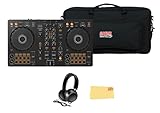
Overview: The Pioneer DJ DDJ FLX4 balances professional capabilities with beginner-friendly design in a compact package. This versatile 2-channel controller features smart automation tools and streaming integration, bundled with a Gator case, headphones, and polishing cloth. Its portable design suits practice sessions, livestreams, and small performances.
What Makes It Stand Out: Smart Fader technology automatically manages volume, bass, and BPM transitions, enabling smooth mixes with minimal experience. Smart CFX applies multiple effects simultaneously through a single knob, adding complexity effortlessly. USB audio output with microphone mixing simplifies livestreaming setups by combining voice and music through one connection. The professional-style layout accelerates skill transfer to club gear.
Value for Money: Positioned in the mid-range, the FLX4 offers strong value through intelligent features that reduce the learning curve. The included Gator case and headphones add practical value. While streaming services require subscriptions, the controller works with multiple free software options (rekordbox, Serato DJ Lite, djay). It bridges entry-level and professional gear effectively.
Strengths and Weaknesses: Strengths include intelligent automation features, streaming integration, microphone mixing, multi-platform software support, and portable design. Weaknesses involve plastic construction that lacks pro-grade heft, small jog wheels limiting scratch potential, and Smart features that may hinder fundamental skill development if over-relied upon.
Bottom Line: An excellent stepping stone for advancing DJs. The DDJ-FLX4’s smart features build confidence while its professional layout develops proper technique. Ideal for hobbyists ready to grow beyond basic controllers or performers needing portable, capable gear.
10. Hercules DJControl Inpulse 200 MK2 - Compact DJ Controller Bundle with Hercules HDP DJ45 Closed-Back, Over-Ear DJ Headphones

Overview: This Hercules DJControl Inpulse 200 MK2 bundle pairs the popular learning-focused controller with HDP DJ45 closed-back headphones. The controller provides guided DJ education through visual cues and tutorials, while the headphones deliver private monitoring for practice sessions. It’s a complete starter package for aspiring DJs.
What Makes It Stand Out: The Beatmatch Guide’s light-based learning system remains the standout feature, teaching beatmatching fundamentals visually. The STEMS feature enables creative isolation of track elements for unique mixes. Bundling the HDP DJ45 headphones adds immediate value, providing proper DJ headphones with rotating ear cups and decent frequency response without separate purchase.
Value for Money: This bundle significantly improves the Inpulse 200 MK2’s value proposition. The headphones alone retail for $40-50, making the combined price effectively lower than buying components separately. Compared to other starter bundles, you get both educational features and monitoring hardware. The included software and tutorials eliminate additional startup costs, maximizing budget efficiency.
Strengths and Weaknesses: Strengths include integrated learning system, streaming service support, comprehensive software bundle, and included headphones for complete setup. Weaknesses remain the lightweight plastic build, limited connectivity options, and small jog wheels that challenge advanced techniques. The headphone cable length may be restrictive in some practice setups.
Bottom Line: The bundled headphones transform this from a good controller into an exceptional starter package. For beginners wanting everything needed to start mixing immediately, this bundle eliminates guesswork and extra purchases. It’s the most cost-effective way to access the Inpulse 200 MK2’s excellent educational features.
Why Tutorial-Integrated Bundles Are Redefining DJ Education in 2026
The modern beginner DJ doesn’t learn by reading a 50-page PDF or watching disconnected YouTube tutorials. In 2026, tutorial software is baked directly into your workflow, offering real-time feedback as you practice. This shift represents more than convenience—it’s a fundamental change in how muscle memory and musical intuition are developed simultaneously.
The Evolution from Manuals to Interactive Learning
Remember when “learning your controller” meant memorizing button functions? Those days are gone. Today’s tutorial software listens to your mixes, analyzes your timing, and highlights exactly where your beatmatching drifted or your transition clashed harmonically. The hardware becomes a physical extension of the lesson plan, with LEDs that guide your hand placement and screens that display contextual tips based on your actions. This闭环 feedback system cuts the time to competency nearly in half compared to traditional self-teaching methods.
How AI-Powered Coaching Is Changing the Game
Artificial intelligence in 2026 doesn’t just correct your mistakes—it anticipates them. Advanced bundles feature AI coaches that adapt to your learning style, slowing down complex scratch techniques if you’re struggling, or pushing you toward harmonic mixing once you’ve mastered basic transitions. These systems track your progress across sessions, building a personalized curriculum that evolves as you do. The key is finding a bundle where the AI feels like a mentor, not a nagging backseat driver.
Decoding “Beginner-Friendly”: What It Really Means Today
“Beginner-friendly” has become a meaningless marketing term slapped on everything from toy-grade plastic controllers to pro-level gear with simplified modes. Let’s dismantle the jargon and rebuild it with actual substance.
Hardware Accessibility vs. Software Intelligence
A truly beginner-friendly controller balances physical approachability with digital depth. The hardware should invite experimentation—intuitively laid out faders, responsive jog wheels that don’t require a delicate touch, and performance pads placed where your fingers naturally land. But the real magic happens when the software recognizes a beginner’s hesitation and offers a helping hand without taking over. Look for bundles where the tutorial layer can be peeled back gradually, not switched off entirely after day one.
The Myth of the “Perfect Starter Controller”
Here’s the truth that no retailer will tell you: the perfect starter controller doesn’t exist because every beginner’s goals are different. Someone obsessed with hip-hop scratching needs different hardware than a future house music producer who wants to experiment with live remixing. The best bundle is the one that aligns with your musical interests while leaving enough room for your style to evolve. Fixating on a hypothetical “best” leads to analysis paralysis.
Essential Hardware Features That Accelerate Learning
Certain hardware design choices directly impact how quickly you’ll progress from fumbling to flowing. These aren’t luxury features—they’re educational accelerators.
Jog Wheel Sensitivity and Realism
In 2026, capacitive touch jog wheels with adjustable tension have become the standard for beginner bundles. The critical feature isn’t size—it’s the ability to toggle between “heavy” vinyl-like resistance for learning manual beatmatching and “light” instant-response mode for modern sync-based mixing. This dual-mode approach lets you practice traditional skills without abandoning the efficiency of modern technology. Avoid controllers with stiff, unresponsive platters that teach you to fight the gear rather than feel the music.
Mixer Section Layout: Clutter vs. Clarity
A cluttered mixer section is kryptonite for beginners. The sweet spot features three-band EQs with clear visual notches at 12 o’clock, faders that glide smoothly without wobbling, and a crossfader that can be easily removed or tightened if you’re not planning to scratch. In 2026, look for bundles where the software highlights the active channel in the same color as the hardware’s channel faders—this visual mapping reduces cognitive load dramatically during your first 100 mixes.
Performance Pads: From Basics to Creative Expression
Eight pads per deck have become the baseline, but quantity matters less than how they’re integrated into the tutorials. The best bundles use these pads as interactive checkpoints during lessons—press pad 5 when you hear the drop, activate pad 2 to trigger your first cue point. This transforms abstract concepts into tactile actions. Pressure sensitivity is worth prioritizing, as it introduces dynamics early, teaching you that not every button press should hit at maximum velocity.
Software Ecosystem: Your Digital Classroom
The controller is your instrument; the software is your teacher, studio, and eventually, your playground. In 2026, the software ecosystem determines your learning trajectory more than the hardware itself.
Cross-Platform Compatibility in 2026
Cloud-native DJ software has finally matured, meaning your lessons, track analysis, and cue points sync seamlessly between your practice laptop, club USB drive, and even mobile app. When evaluating bundles, test how smoothly the software runs on your weakest device. A tutorial that stutters on your aging laptop will kill your motivation faster than a broken fader. The best bundles offer progressive web app versions that run in browsers, ensuring you can practice anywhere without installation headaches.
Subscription Models vs. Perpetual Licenses
By 2026, most tutorial software has shifted to hybrid models: a perpetual license for core DJ functions with a subscription layer for advanced lessons, AI coaching, and cloud storage. Be wary of bundles that lock essential beginner features behind a recurring paywall. The ideal setup includes 12-18 months of premium tutorial access with the initial purchase, giving you time to decide if the advanced features justify the ongoing cost. Read the fine print on what happens to your lesson progress if you cancel.
Cloud Sync and Multi-Device Learning
Modern bundles should include cloud sync for your tutorial progress, not just your track library. Imagine starting a beatmatching exercise on your home controller, then continuing the same lesson on your phone during your commute with a simplified touch interface. This continuity keeps you engaged and reinforces concepts through spaced repetition. Check the bundle’s privacy policy—your practice data should be encrypted and portable, not held hostage by the manufacturer.
Tutorial Software Deep Dive: What to Expect
The quality gap between basic video libraries and immersive tutorial platforms has widened into a chasm. Here’s what separates transformative education from glorified advertising.
Guided Track Analysis and Beatmatching
In 2026, expect tutorial software that loads a track and immediately walks you through its structure—identifying the intro, drop, breakdown, and outro with visual markers. The best systems then challenge you to place cue points manually, offering hints if you’re off by a bar. For beatmatching, look for tutorials that temporarily disable the sync button, forcing you to nudge the jog wheel while providing a visual “drift meter” that shows how far apart your tracks are in milliseconds. This builds genuine skill, not button-pushing reflexes.
Interactive FX and Transition Workshops
Static FX tutorials are obsolete. Modern bundles let you practice transitions in a “sandbox mode” where you can instantly rewind and retry the same 16-bar section with different effects. The software should overlay your transition curve, showing how your filter sweep or echo out actually sounded versus the tutorial’s ideal curve. This visual feedback loop is invaluable for understanding the relationship between your hand movements and the sonic result.
Video Tutorials vs. In-App Guidance
While polished video content still has its place, the real learning happens with in-app guidance that reacts to your performance. The most effective bundles blend both—short concept videos you watch before practicing, followed by interactive sessions where the software monitors your attempt. Be skeptical of bundles boasting “500 hours of video content.” You need quality, curated lessons, not a firehose of information that leaves you paralyzed.
Connectivity and Expansion: Planning Your Growth Path
Your first controller shouldn’t be a dead end. Smart beginners buy with an eye toward what comes next.
Audio Interface Quality for Home Practice
The built-in audio interface is often an afterthought, but it shapes your early sonic education. In 2026, any bundle worth considering should have a 24-bit/96kHz interface with RCA and TRS outputs. More importantly, check if the interface supports low-latency monitoring without proprietary drivers—ASIO/Core Audio compatibility should be plug-and-play. A noisy or laggy interface teaches you to mix defensively, compensating for technical flaws rather than developing clean technique.
MIDI Mapping and Customization Potential
Even as a beginner, you want the option to remap controls as your style develops. The best bundles include a “tutorial lock” mode that prevents accidental remapping during lessons, but unlocks to reveal a full MIDI mapping interface. This lets you graduate from the standard layout to a personalized workflow without buying new hardware. Test this by checking if the manufacturer provides a downloadable MIDI editor and whether the community shares mappings online.
Budget Tiers and Value Proposition
Price tiers in 2026 have stabilized around three distinct categories, each with specific educational trade-offs.
Entry-Level Investment: What $300-$500 Gets You in 2026
This tier delivers competent controllers with essential tutorial integration. You’ll get two channels, eight performance pads, and software that covers beatmatching, EQing, and basic transitions. The compromise is usually in build quality—lighter plastic construction and smaller jog wheels—and tutorial depth that caps out at intermediate skills. These bundles excel for commitment-phobes who want to test DJing without a major investment, but plan to upgrade within 18 months if you stick with it.
Mid-Range Sweet Spot: $500-$800 Features
The $500-$800 range is where educational value peaks. Controllers here feature full-size jog wheels, metal faceplates, and software with AI coaching, sandbox practice modes, and cloud sync. The tutorials extend into harmonic mixing, advanced FX chains, and even introductory music production integration. This tier often includes a “pro mode” that disables hand-holding, letting the same hardware grow with you for 3-5 years. For most beginners, this is the smartest long-term investment.
Premium Beginner Bundles: When to Splurge
Spending over $800 on a beginner bundle might seem excessive, but it makes sense if you’re serious about specific genres like turntablism or live remixing. These bundles include four-channel controllers, standalone mixer capabilities, and tutorial software with genre-specific masterclasses from working DJs. The hardware is essentially club-grade, reducing the gear shock when you play your first gig. The risk? Feature overload can paralyze a true novice. Only splurge if you’ve already spent months on a friend’s gear and know your commitment level.
Future-Proofing Your First Controller Purchase
Technology moves fast, but musical fundamentals don’t. Here’s how to avoid obsolescence.
Firmware Update Policies and Longevity
Check the manufacturer’s firmware update history before buying. A company that’s still updating five-year-old controllers is investing in user retention, not just new sales. In 2026, look for bundles that promise at least three years of compatibility updates with the latest tutorial software versions. Some manufacturers even unlock new tutorial modules via firmware updates, turning your aging controller into a gateway for fresh skills.
Community and Manufacturer Support
The tutorial software is only as good as the community behind it. Active user forums, Discord servers, and Reddit communities mean you’ll find answers when you get stuck. Manufacturers who employ community managers and active DJs to create tutorial content are building ecosystems, not just products. Search for the bundle’s hashtag on social media—if you see real users sharing mixes and tips, that’s a healthy sign. Avoid brands with ghost town forums and YouTube channels full of promotional fluff.
Avoiding Beginner Pitfalls: Expert Insights
Even with the best bundle, beginners repeat the same mistakes. Here’s how to sidestep them.
Overbuying vs. Underbuying
Overbuying leads to intimidation and guilt when expensive gear collects dust. Underbuying results in frustration when your controller can’t execute techniques you’ve mastered in software. The sweet spot is buying for where you’ll be in 12 months, not where you are today. If you’re practicing 10+ hours a week, skip the entry tier. If you’re dabbling on weekends, don’t let a salesperson talk you into a four-channel beast.
Ignoring Software Learning Curve
The sexiest hardware can’t compensate for tutorial software that makes you want to throw your laptop out the window. Before committing, download the software’s free trial (most offer one) and complete the first three lessons with just your keyboard and mouse. If the interface feels clunky or the pacing is off, no amount of slick hardware will fix that friction. Your relationship with the software matters more than the controller’s color scheme.
Building Your Skills Beyond the Tutorials
Tutorials get you started; independence makes you a DJ. Here’s how to bridge that gap.
Transitioning from Guided to Independent Mixing
The best tutorial software includes a “graduation mode” where guidance fades gradually. You might start with full waveform overlays and beatgrid snapping, then progress to minimal visual aids, and finally practice with the screen completely dark. This weaning process prevents the common beginner trap of becoming a “screen DJ” who can’t mix by ear. Make sure your bundle supports this staged independence—some cheap packages keep you hooked on visual crutches indefinitely.
Leveraging Community Resources
Once you’ve exhausted the built-in tutorials, the community becomes your next teacher. Look for bundles where the manufacturer sponsors remix contests, livestream Q&A sessions, and user-generated tutorial challenges. The hardware should make it easy to record and share your practice sessions—one-touch recording to the cloud is a feature worth its weight in gold. Sharing your stumbles and getting feedback from other learners accelerates growth faster than any AI coach.
Frequently Asked Questions
Do I really need tutorial software, or can I just watch free YouTube videos?
Free videos offer inspiration but lack the interactive feedback loop that corrects bad habits in real-time. Tutorial software in 2026 listens to your actual mixing and provides personalized corrections, which is impossible with passive video consumption. Think of YouTube as the lecture hall and tutorial software as your private tutor.
Will a beginner controller work with professional club gear later?
The muscle memory you develop on quality beginner gear—especially jog wheel techniques and fader control—translates directly to club-standard setups. The key is practicing with your software’s “club mode” that hides visual aids, forcing you to rely on ears and feel rather than screen feedback.
How much computer power do I need to run tutorial software smoothly?
Most 2026 tutorial software runs comfortably on laptops with 16GB RAM and a recent quad-core processor. The bigger factor is storage speed—an SSD is non-negotiable for smooth waveform scrolling and instant lesson loading. Cloud-based tutorials reduce local processing demands but require a stable internet connection.
Can I use streaming services like Beatport Streaming or TIDAL with tutorial software?
Yes, and this integration has become seamless in 2026. The best tutorial bundles include lessons specifically for streaming workflows, teaching you how to handle latency, build playlists on the fly, and manage offline caches. Just verify your controller bundle includes the necessary streaming service trial subscriptions.
Is it better to learn on a controller with screens on the hardware or just use my laptop?
Screens on the controller reduce laptop dependency and prepare you for standalone gear, but they’re not essential for beginners. The priority is screen quality and visibility, not quantity. A bright, clear laptop display with well-designed software beats a tiny, dim hardware screen every time for tutorial content.
What if I want to produce music later? Should my DJ controller bundle include production tutorials?
Many 2026 bundles include introductory production modules, but they’re usually shallow. If production is a serious goal, choose a controller from a manufacturer with a deep ecosystem that includes dedicated production hardware. The MIDI mapping skills you learn DJing will transfer, but don’t expect a DJ tutorial bundle to replace a full DAW learning path.
How do I know when I’ve outgrown my beginner controller?
You’ve outgrown it when you’re consistently hitting the controller’s limitations—running out of performance pads for complex routines, needing a third deck for advanced transitions, or requiring better sound quality for recording demos. Most beginners hit this wall after 18-24 months of consistent practice.
Are wireless controllers reliable enough for learning in 2026?
Wireless technology has matured, but for learning, wired connections still provide the lowest latency and most stable experience. Tutorial software is less forgiving of latency, especially when practicing manual beatmatching. Use wireless for casual practice, but keep USB handy for serious skill-building sessions.
Can tutorial software teach me to mix genres the hardware wasn’t designed for?
Absolutely. A controller designed for electronic music can teach you to mix hip-hop or reggae through software customization. The key is MIDI mapping flexibility and tutorial content that covers diverse genres. The hardware is agnostic; the software’s lesson library determines your versatility.
What should I prioritize if I can only afford one upgrade: better headphones or a better controller?
If your current controller has functional tutorial software and responsive controls, upgrade your headphones first. Hearing detail is fundamental to DJing, and muddy audio will sabotage your learning regardless of how advanced your controller is. Save controller upgrades for when you’ve maxed out your current hardware’s educational potential.
See Also
- 10 Beginner-Friendly DJ Controllers with Tutorial Lights in 2026
- 10 Beginner-Friendly DJ Controllers for Kids Under 14 in 2026
- How to Choose the 10 Best DJ Controller Bundles for Weddings in 2026
- How to Choose the 10 Best DJ Controller Bundles for Mobile Weddings in 2026
- 10 DJ Controller Bundles for Wedding DJs Starting Out in 2026